
Remote Bookkeeping Services: How They Work and What to Expect
Remote bookkeeping is now the standard for small businesses — not the exception. Here's exactly how it works, what technology makes it possible, and what questions to ask before you hire.

Ten years ago, most small business owners assumed their bookkeeper needed to be local — someone who could come to the office, pick up receipts, and sit across the table from them. That assumption is outdated.
Today, the majority of professional bookkeeping is done remotely. Cloud accounting software, secure document sharing, and video calls have made location irrelevant. The best bookkeeper for your business might be in a different city — and that's completely fine.
Here's how remote bookkeeping actually works, and what to look for when you're evaluating providers.
How Remote Bookkeeping Works
Remote bookkeeping relies on three things: cloud accounting software, secure document sharing, and clear communication. Here's the typical workflow:
1. Cloud Accounting Software
QuickBooks Online is the industry standard for remote bookkeeping. It's cloud-based, which means your bookkeeper can access your file from anywhere — and so can you. You can see your books in real time, run reports, and review transactions without waiting for a monthly printout.
Your bookkeeper connects your bank accounts and credit cards directly to QuickBooks via bank feeds. Transactions import automatically each day, so there's no manual data entry and no emailing spreadsheets back and forth.
2. Document Sharing
For transactions that don't come through the bank feed — cash expenses, receipts, vendor invoices — you share documents digitally. Most bookkeepers use a secure client portal, email, or a document management app like Hubdoc or Dext.
The process is simple: snap a photo of a receipt with your phone, upload it, and your bookkeeper handles the rest.
3. Communication
Remote bookkeeping doesn't mean you never talk to your bookkeeper. Most remote bookkeepers communicate via email for routine questions and schedule video calls for monthly reviews, onboarding, or anything that needs a real conversation.
Good remote bookkeepers are responsive — you should expect a reply within one business day for routine questions.
What Remote Bookkeeping Includes
A complete remote bookkeeping service covers the same work as an in-house bookkeeper:
- Transaction categorization — every income and expense coded to the correct account
- Bank and credit card reconciliation — all accounts reconciled monthly
- Accounts payable and receivable — tracking what you owe and what's owed to you
- Payroll recording — entries from your payroll processor (Gusto, ADP, etc.) recorded in QuickBooks
- Monthly financial statements — Profit & Loss, Balance Sheet, Cash Flow Statement
- Year-end prep — clean books ready for your tax preparer
Some remote bookkeeping firms also offer payroll processing, tax preparation, and tax planning as add-on services.
What Remote Bookkeeping Does NOT Include
Remote bookkeeping is not the same as accounting or tax preparation. Your bookkeeper:
- Does not prepare your tax return (unless they also offer tax services)
- Does not give tax advice (that's your CPA or tax preparer's role)
- Does not manage your cash or make payments on your behalf
- Does not replace your accountant — they work alongside your accountant
Think of your bookkeeper as the person who keeps the records clean and organized. Your accountant or tax preparer uses those records to prepare your return and give you strategic advice.
The Technology Stack
Here's what most remote bookkeeping engagements use:
| Tool | Purpose |
|---|---|
| QuickBooks Online | Core accounting software |
| Bank feeds | Automatic transaction import |
| Hubdoc / Dext | Receipt and document capture |
| Secure client portal | Document sharing |
| Zoom / Google Meet | Video calls |
| Routine communication |
You don't need to be tech-savvy to work with a remote bookkeeper. If you can use email and take a photo with your phone, you have everything you need.
Is Remote Bookkeeping Secure?
Security is a common concern — and a legitimate one. Here's how reputable remote bookkeepers protect your data:
QuickBooks Online security QuickBooks Online uses bank-level 256-bit SSL encryption and two-factor authentication. Your data is stored on Intuit's servers, which are subject to SOC 2 Type II audits.
Access controls Your bookkeeper accesses your QuickBooks file through a user permission you grant — not by logging in as you. You can see exactly what they've done and revoke access at any time.
Document sharing Reputable bookkeepers use encrypted portals for document sharing — not unencrypted email attachments. Ask about their document security practices before sharing sensitive financial information.
Professional standards Certified bookkeepers are bound by professional standards around client confidentiality. Ask whether your bookkeeper carries professional liability (E&O) insurance.
What to Ask Before Hiring a Remote Bookkeeper
Before you sign on with any remote bookkeeping service, ask these questions:
1. Are you a QuickBooks ProAdvisor? This is the baseline credential for professional QuickBooks bookkeeping. It means they've been trained and tested by Intuit.
2. What's your pricing structure? Flat-rate monthly pricing is the standard. Hourly billing with no cap is a red flag — you should know your cost before work begins.
3. How do you handle communication? What's the typical response time for questions? Do you offer monthly calls? Who is my main point of contact?
4. What does onboarding look like? A good bookkeeper will review your existing books, identify any issues, and set up a clean system before starting monthly work.
5. Do you also offer tax preparation? If your bookkeeper can also prepare your taxes, you get better coordination between your books and your return — and often a lower combined cost.
6. What happens if I have a question outside normal hours? For most small businesses, this isn't critical — but it's worth knowing their policy.
Remote vs. Local Bookkeeping: Does Location Matter?
For most small businesses, location doesn't matter at all. The work is done in QuickBooks Online, documents are shared digitally, and communication happens via email and video call.
There are a few situations where local might matter:
- You have a large volume of paper documents that need to be physically processed
- You need someone on-site daily for cash handling or point-of-sale reconciliation
- You strongly prefer in-person meetings
For the vast majority of service businesses, contractors, retailers, and professional practices, remote bookkeeping works just as well as local — and often better, because you're not limited to whoever happens to be in your zip code.
The Gap ProAdvisors: Remote Bookkeeping from Buffalo Gap, TX
We're a remote bookkeeping and tax firm serving small businesses throughout Texas and nationwide. We're certified QuickBooks ProAdvisors, and we offer flat-rate monthly bookkeeping with no long-term contracts.
Our clients are in Abilene, Midland, Odessa, San Angelo, Dallas, Houston, and across the country. Location has never been a barrier — we work entirely in QuickBooks Online and communicate via email and video call.
Related Resources
- Outsourced Bookkeeping for Small Business: What It Is and Whether It's Right for You
- What Is Bookkeeping and Why Does Your Business Need It?
- How Much Does Bookkeeping Cost for a Small Business?
- What Is a QuickBooks ProAdvisor?
- When Should You Hire a Bookkeeper? 6 Signs It's Time
- Our Bookkeeping Services
- Contact Us
Looking for a remote bookkeeper? Contact us for a free review of your situation, or call (325) 572-3130. We'll tell you exactly what's involved and what it will cost — no commitment required.
Explore Topics
Share this article
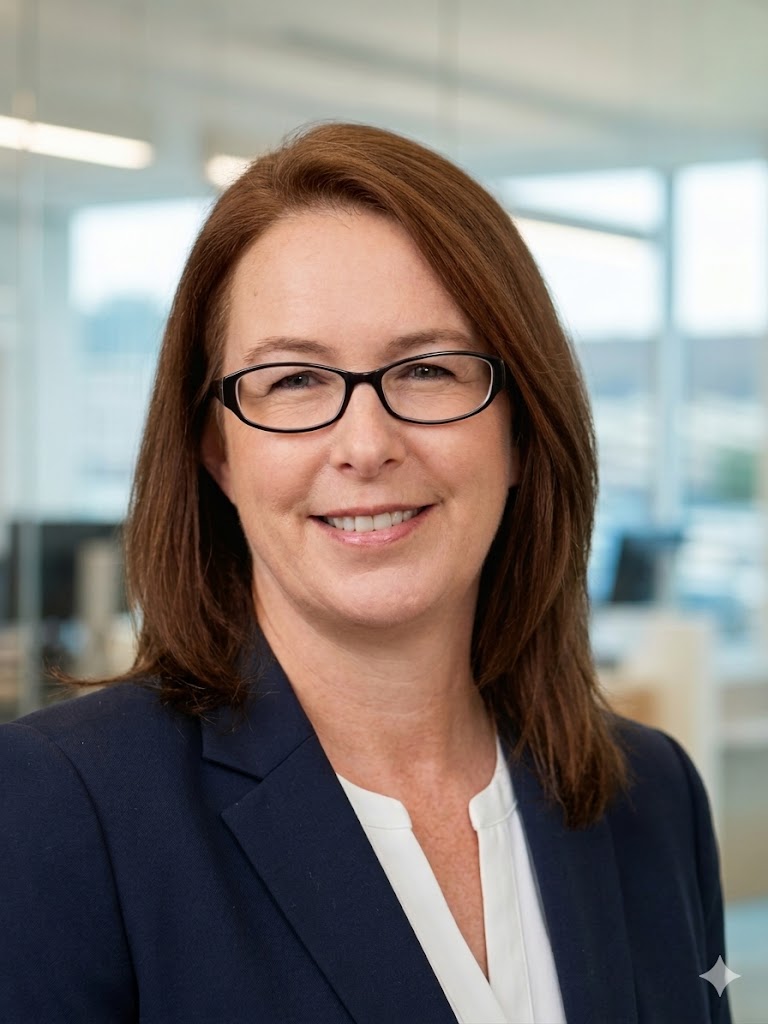
About the author
The Gap ProAdvisorsOwner & Lead Advisor — The Gap ProAdvisors
Angela is a Certified Bookkeeper, QuickBooks ProAdvisor, and IRS Registered Tax Return Preparer (PTIN) with over a decade of experience helping small businesses across Texas get their books right and keep more of what they earn. She founded The Gap ProAdvisors to make professional financial services accessible to every small business owner — no matter where they are.
